This was a 4-part series of challenges linked to each other. I will explain my approach on solving the challenge below as I captured the first to last flag in that series.
SheetsNLayers1#
What is flag 1?
We are given a file to download which happened to be a zip file.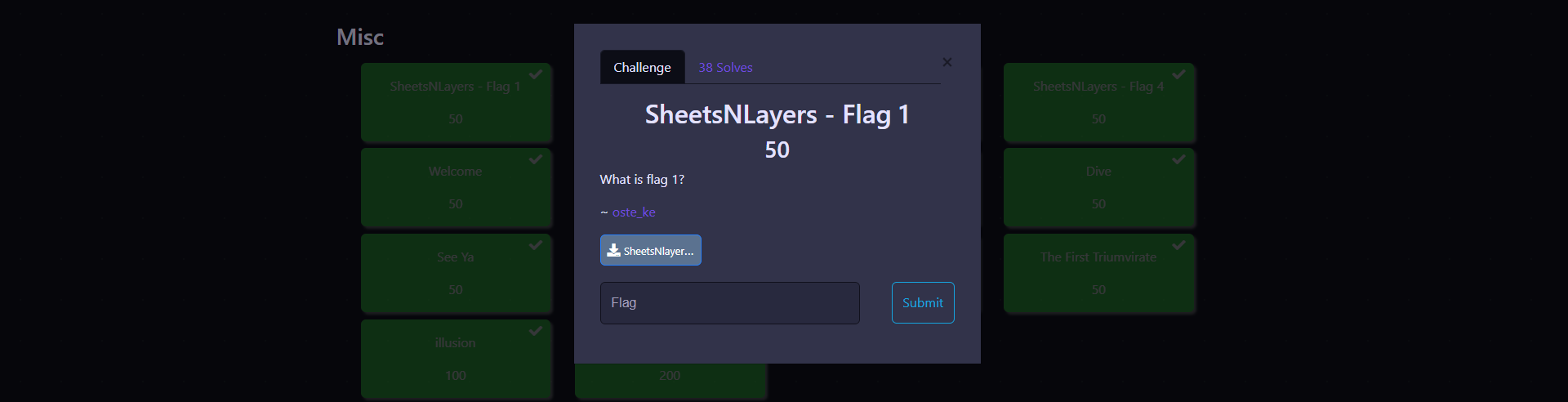
SheetsNlayers.vhdx file, this is a file format used for virtual hard disks. I then mounted the disk on my host machine to explore it further.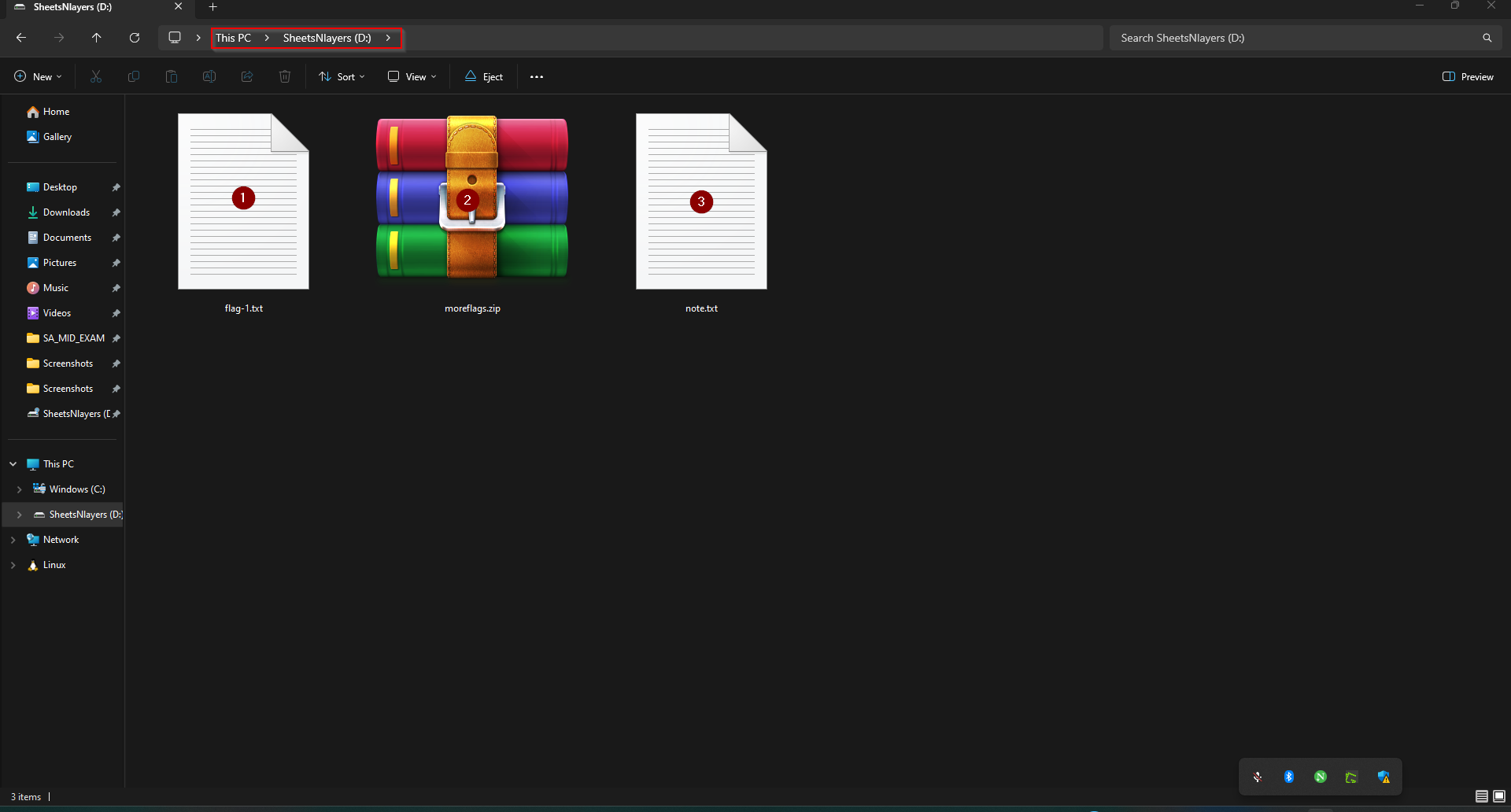
=03YkNTNlNzYjZjYmVGMmFWZ4MTO1QWY0AzM0MmNhdjMzsHdwAjc. Looks like a Base64 encoded string. I decoded this string from dcode and noticed that it was in reversed form, giving us the flag: r00t{327a6c4304ad5938eaf0efb6cc3e53dc} This has been illustrated below: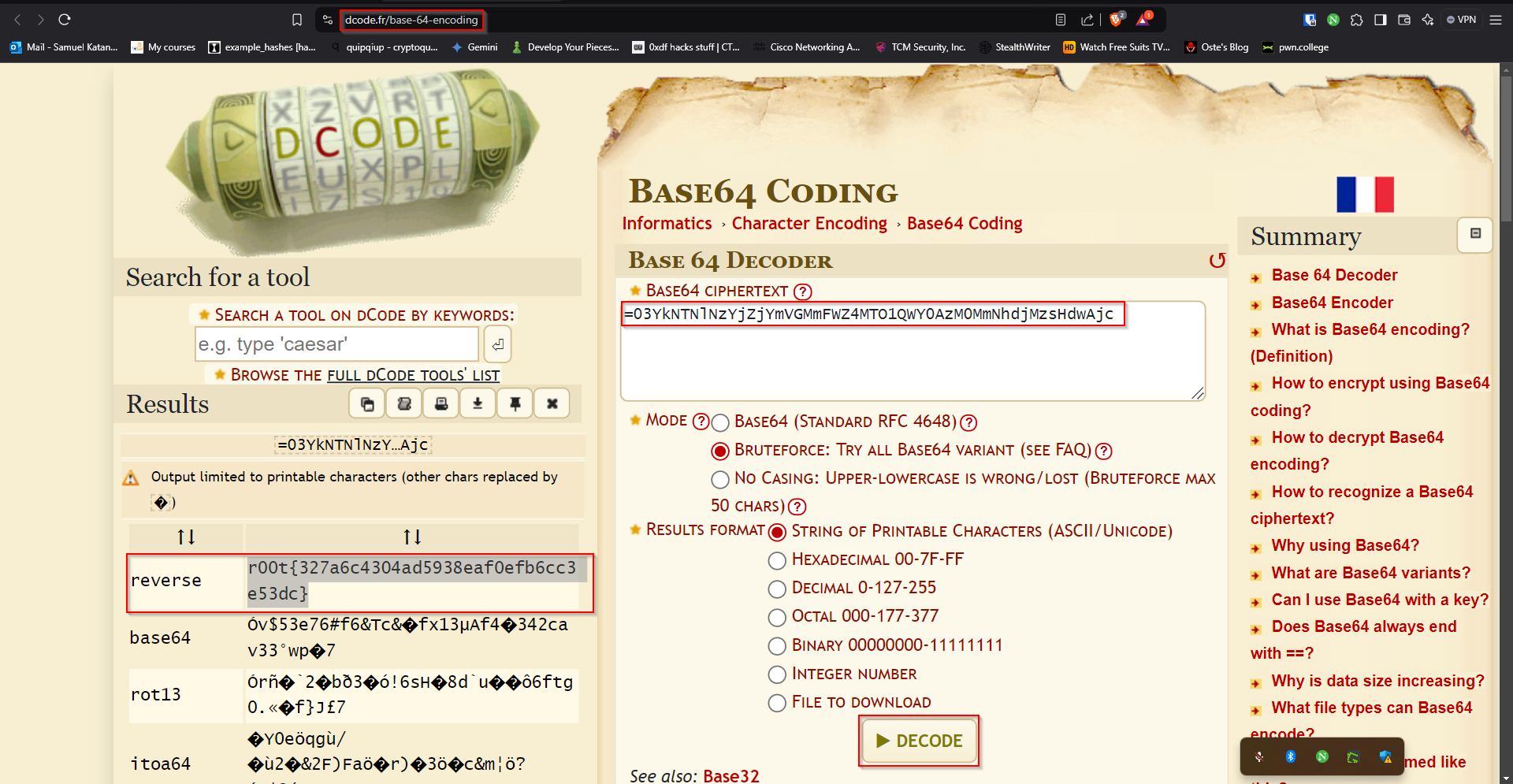
SheetsNLayers2#
What is flag 2?
Now that we found flag 1, its time to further explore the rest of the files and see what we can find. I started by reading the note that was present in the disk we accessed. What I found there was this text: This next archieve contains more flags. Unfortunately the file looks preety blank to me and i can't seem to get all flags. (flag-2 , flag-3, flag-4) Good luck. So I immediately tried to access the archive called moreflags.zip but I couldnt, since it had a password. It was therefore time to start cracking using JohnTheRipper by using the following commands on a unix terminal:
zip2john moreflags.zip > moreflags.hash #To extract the archive's hash
#The output:
ver 2.0 moreflags.zip/moreflags/ is not encrypted, or stored with non-handled compression type
ver 2.0 moreflags.zip/moreflags/moreflags.xlsx PKZIP Encr: cmplen=10742, decmplen=15277, crc=BADB9879 ts=B4AB cs=badb type=8

john --wordlist=/usr/share/wordlists/rockyou.txt moreflags.hash #Cracking the hash with the rockyou wordlist
#The output:
Using default input encoding: UTF-8
Loaded 1 password hash (PKZIP [32/64])
No password hashes left to crack (see FAQ)

john moreflags.hash --show #To see the cracked hash
#The output:
moreflags.zip/moreflags/moreflags.xlsx:ne.11.88:moreflags/moreflags.xlsx:moreflags.zip::moreflags.zip

1 password hash cracked, 0 left
Notice that we manage to get the password to the archive as shown in the output above: ne.11.88 I then used this password to access the archive. What I found in the archive was an excel sheet with the name: moreflags.xlsx. On opening the file, It seemed blank at first sight. But then I right-clicked sheet 1 and clicked unhide, and found 3 more hidden sheets. So I retrieved them one after another with the same process as illustrated below: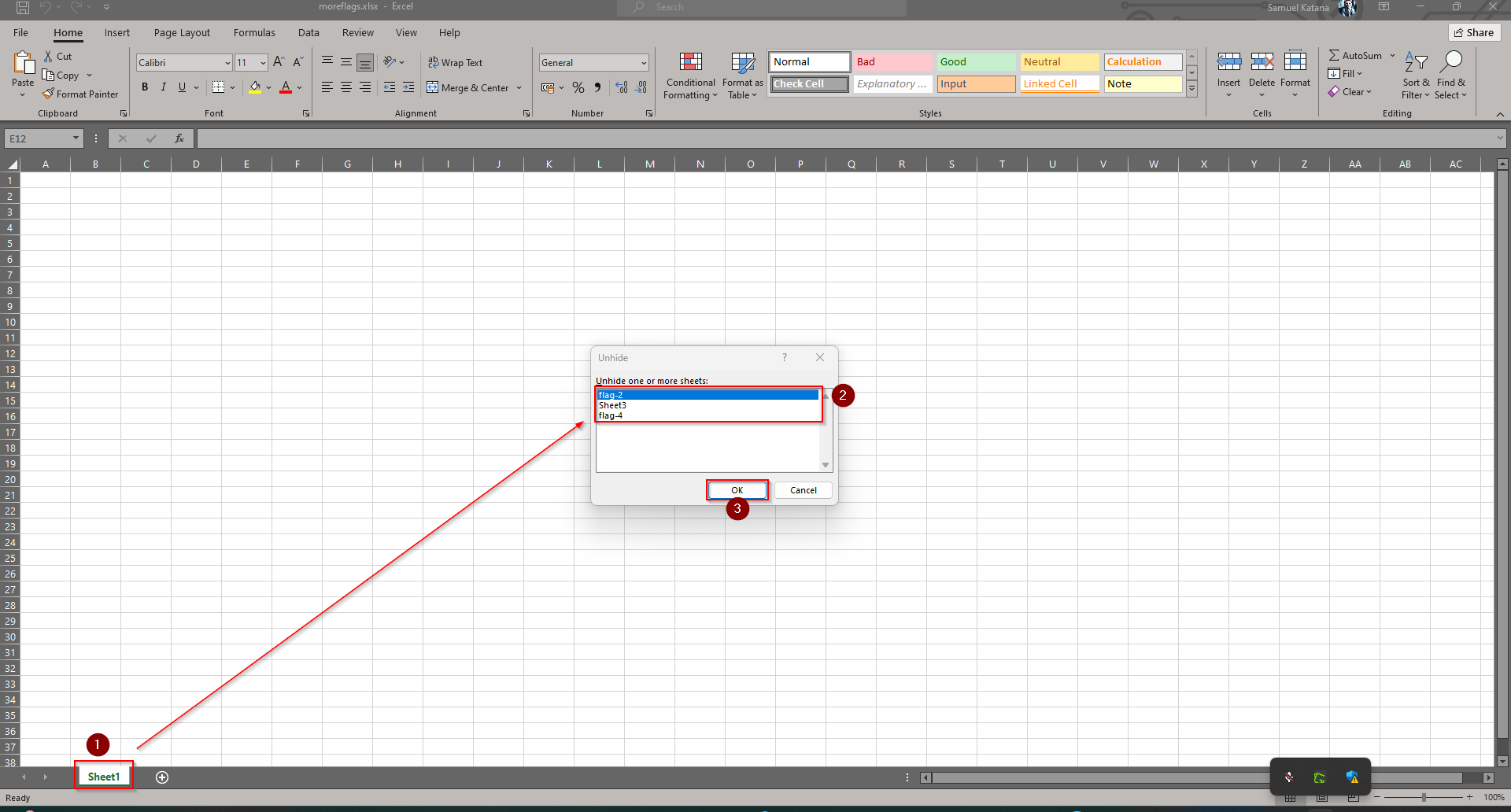
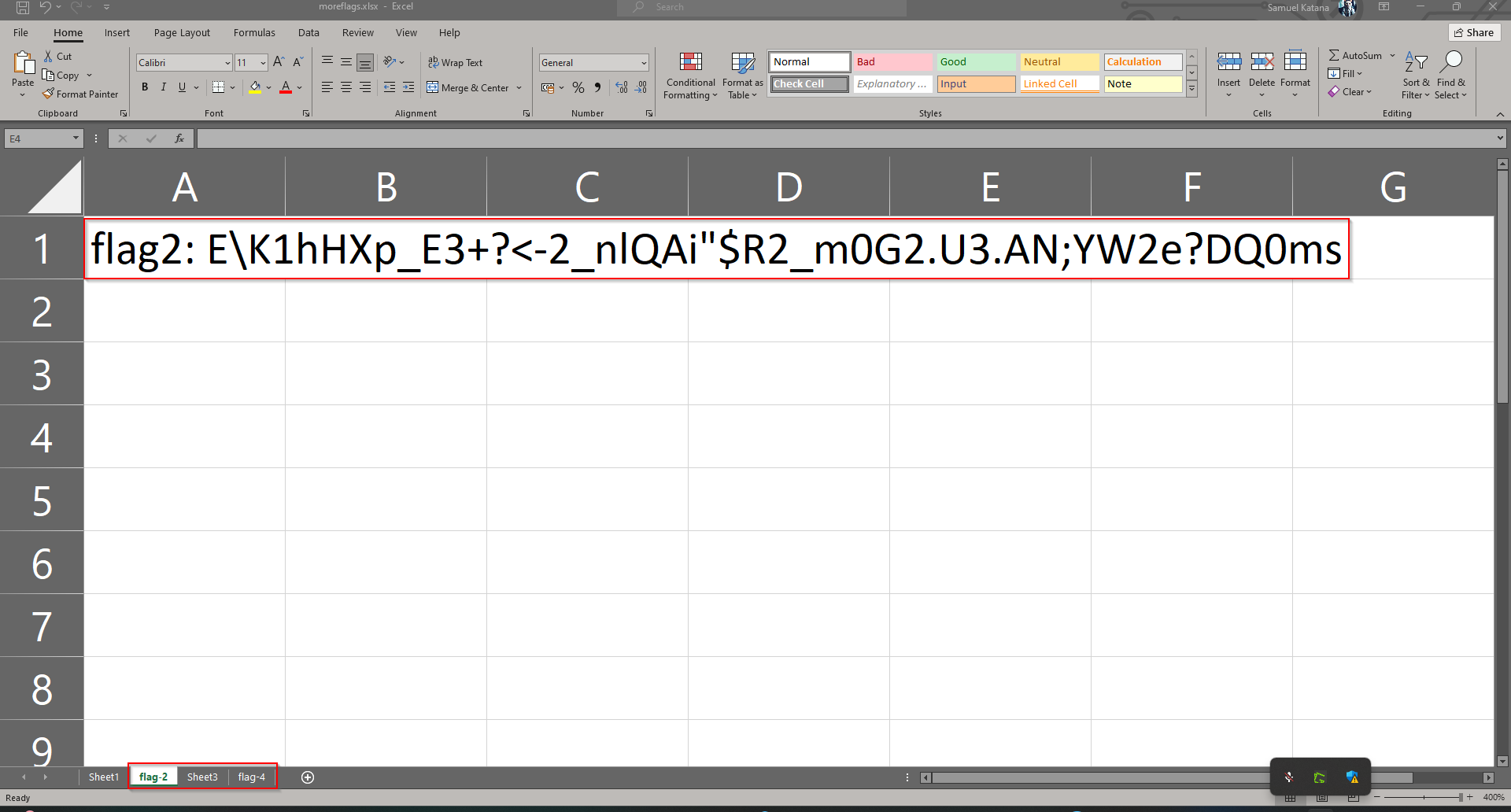
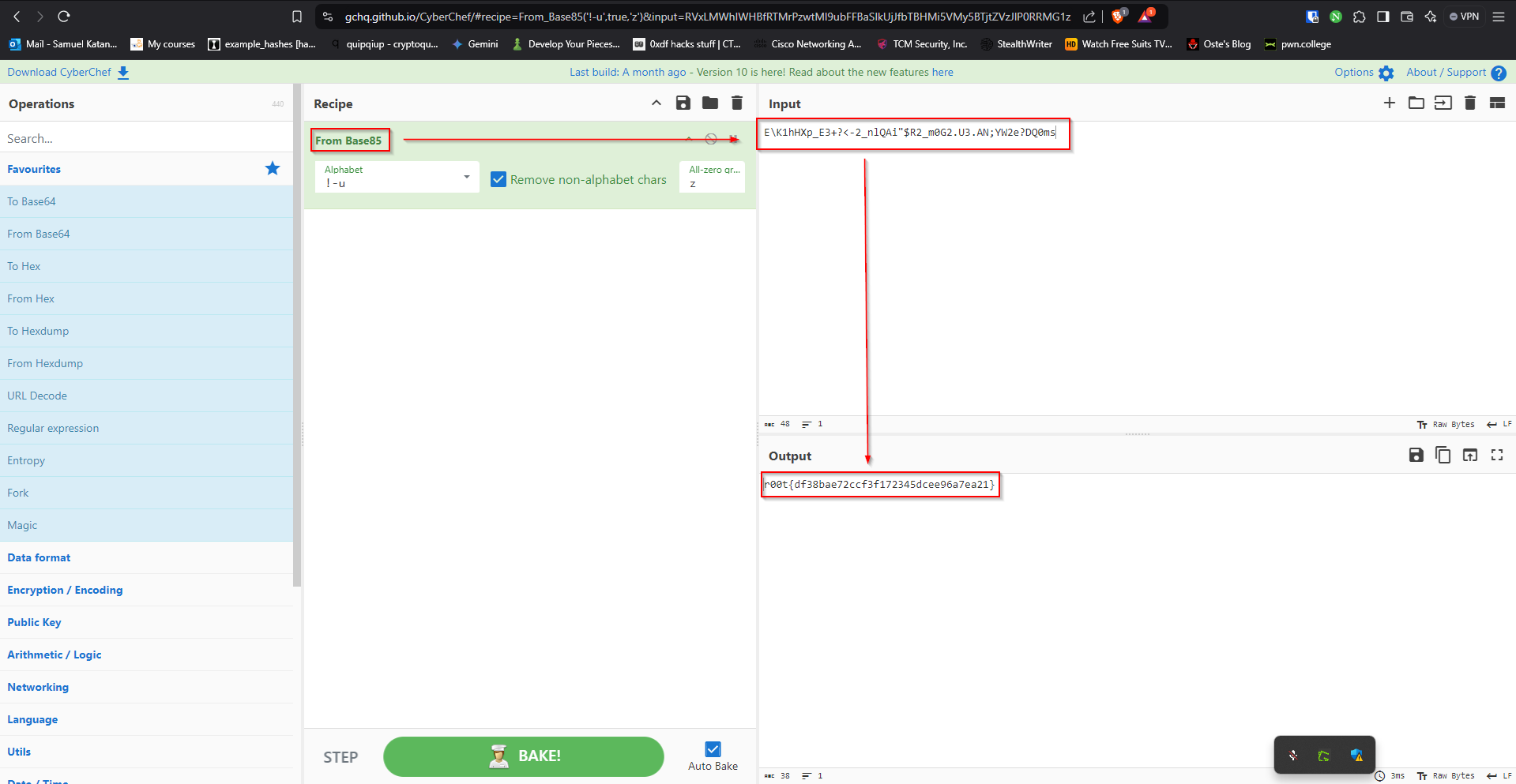
r00t{df38bae72ccf3f172345dcee96a7ea21}
SheetsNLayers3#
What is flag 3?
Moving on to task 3, I open sheet 3 trying to find the third flag.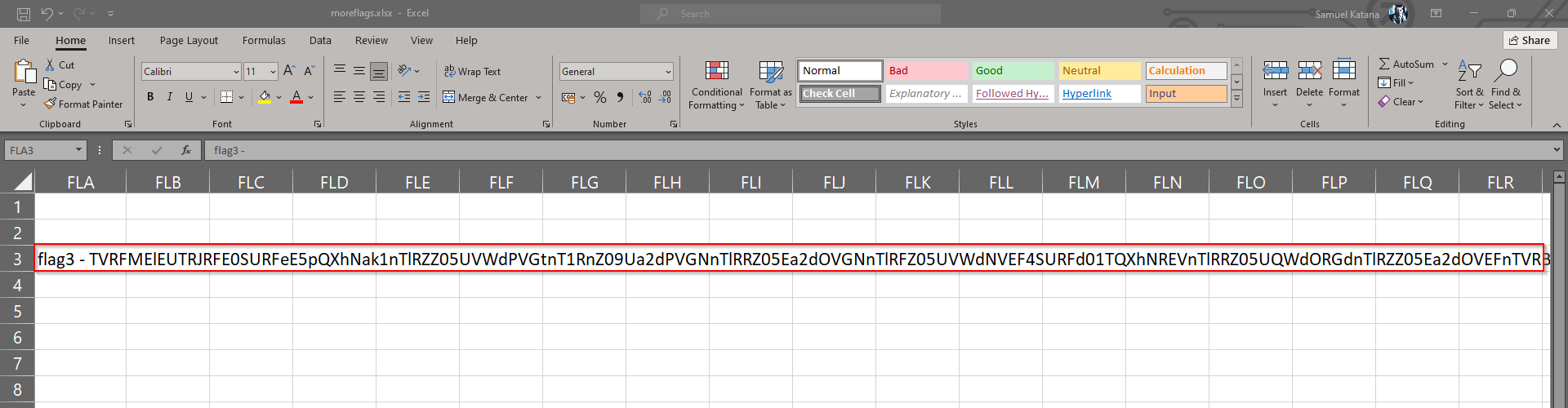
flag3 - TVRFMElEUTRJRFE0SURFeE5pQXhNak1nTlRZZ05UVWdPVGtnT1RnZ09Ua2dPVGNnTlRRZ05Ea2dOVGNnTlRFZ05UVWdNVEF4SURFd01TQXhNREVnTlRRZ05UQWdORGdnTlRZZ05Ea2dOVEFnTVRBeUlEVTNJREV3TVNBMU5pQXhNREVnTlRNZ09Ua2dOVE1nTlRFZ01UQXdJRFE0SURRNElERXlOUT09 TVRFMElEUTRJRFE0SURFeE5pQXhNak1nTlRZZ05UVWdPVGtnT1RnZ09Ua2dPVGNnTlRRZ05Ea2dOVGNnTlRFZ05UVWdNVEF4SURFd01TQXhNREVnTlRRZ05UQWdORGdnTlRZZ05Ea2dOVEFnTVRBeUlEVTNJREV3TVNBMU5pQXhNREVnTlRNZ09Ua2dOVE1nTlRFZ01UQXdJRFE0SURRNElERXlOUT09 TVRFMElEUTRJRFE0SURFeE5pQXhNak1nTlRZZ05UVWdPVGtnT1RnZ09Ua2dPVGNnTlRRZ05Ea2dOVGNnTlRFZ05UVWdNVEF4SURFd01TQXhNREVnTlRRZ05UQWdORGdnTlRZZ05Ea2dOVEFnTVRBeUlEVTNJREV3TVNBMU5pQXhNREVnTlRNZ09Ua2dOVE1nTlRFZ01UQXdJRFE0SURRNElERXlOUT09
Looking at it closely, I noticed, its the same text, repeated thrice. I therefore did some cleaning by removing the prefix flag3 - then followed to remove two of the repitions and headed back to cyberchef to see if I could decrypt the text and obtain the flag. As shown below, it was encrypted more than once, but once again, I was able to decode it with the help of Cyberchef and got the flag for this challenge: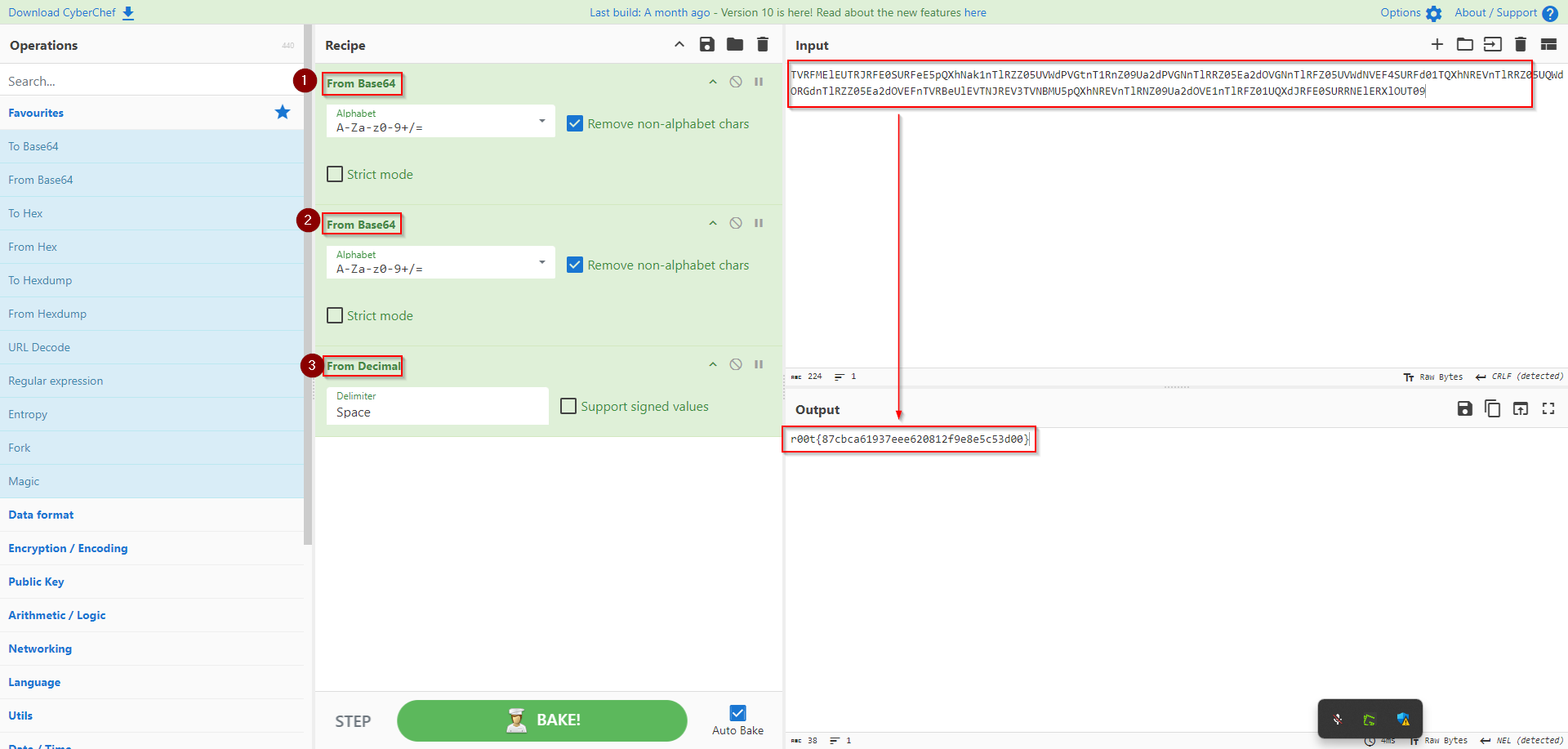
r00t{87cbca61937eee620812f9e8e5c53d00}
SheetsNLayers4#
What is flag 4?
After solving the last three challenges in this series, I finally got to the last one. I thought to myself, that this is probably going to be as easy as the first three, only to open the sheet and see alot of “blood” with “no comments”. Just see for yourself: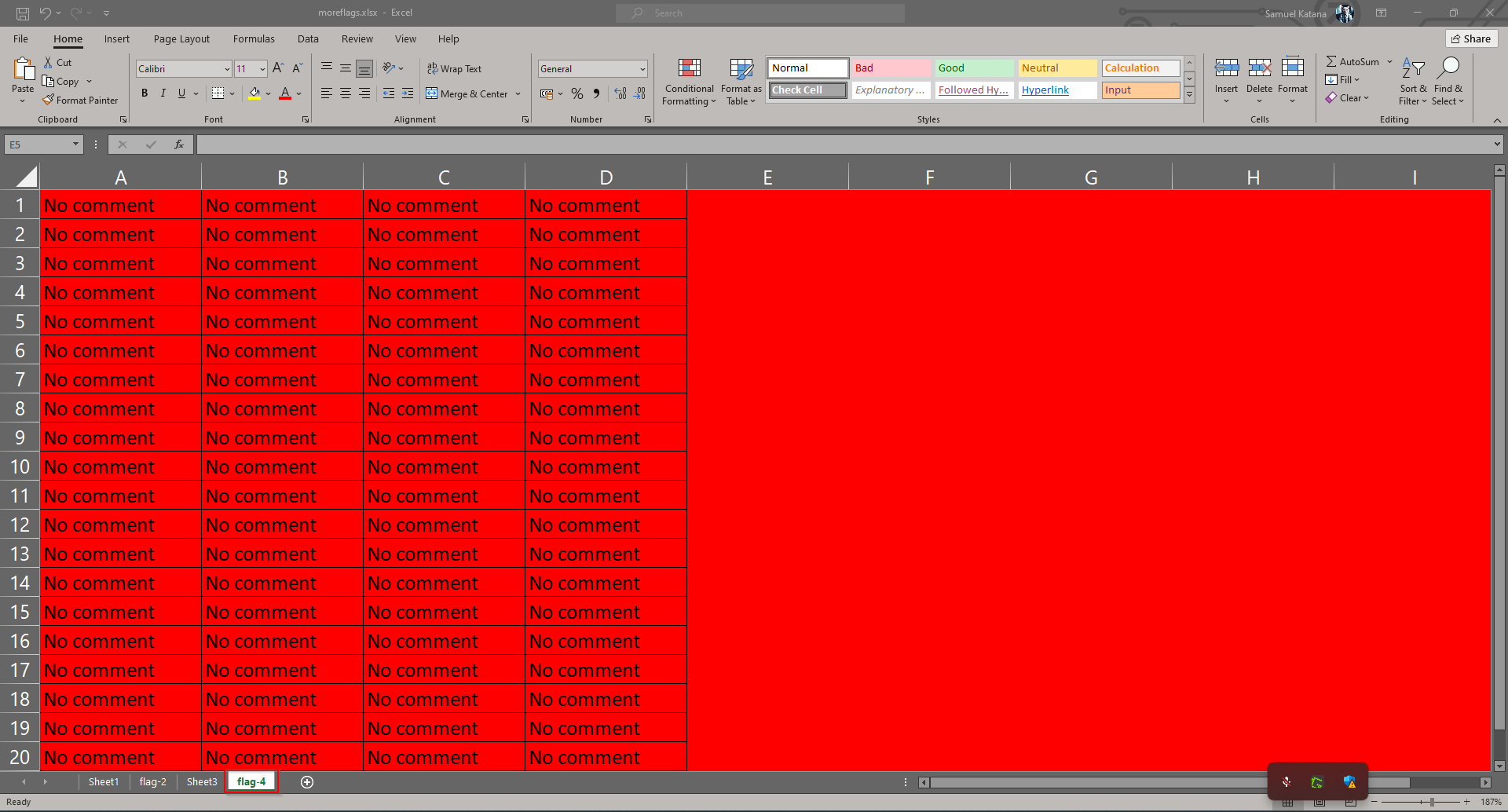
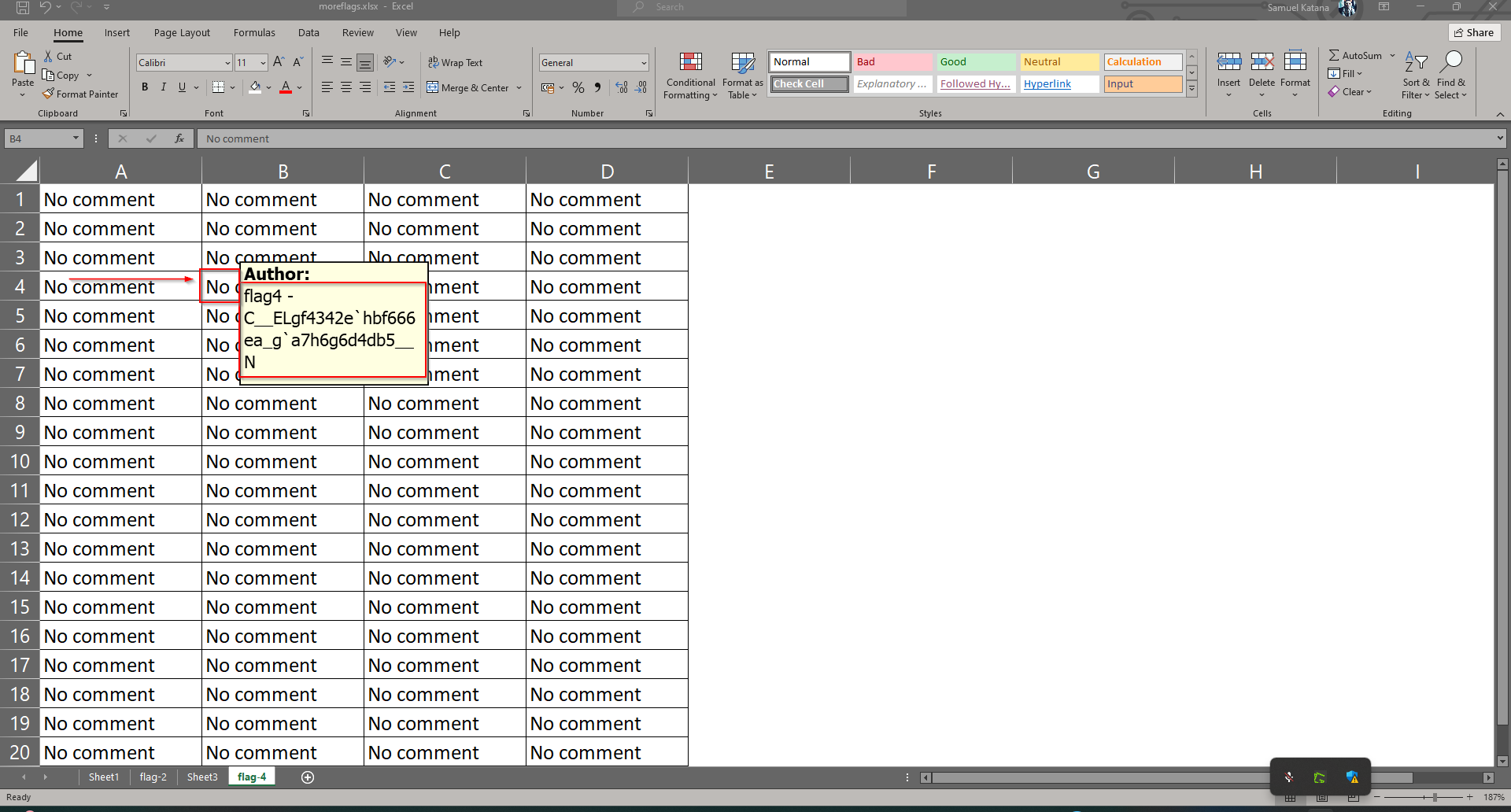
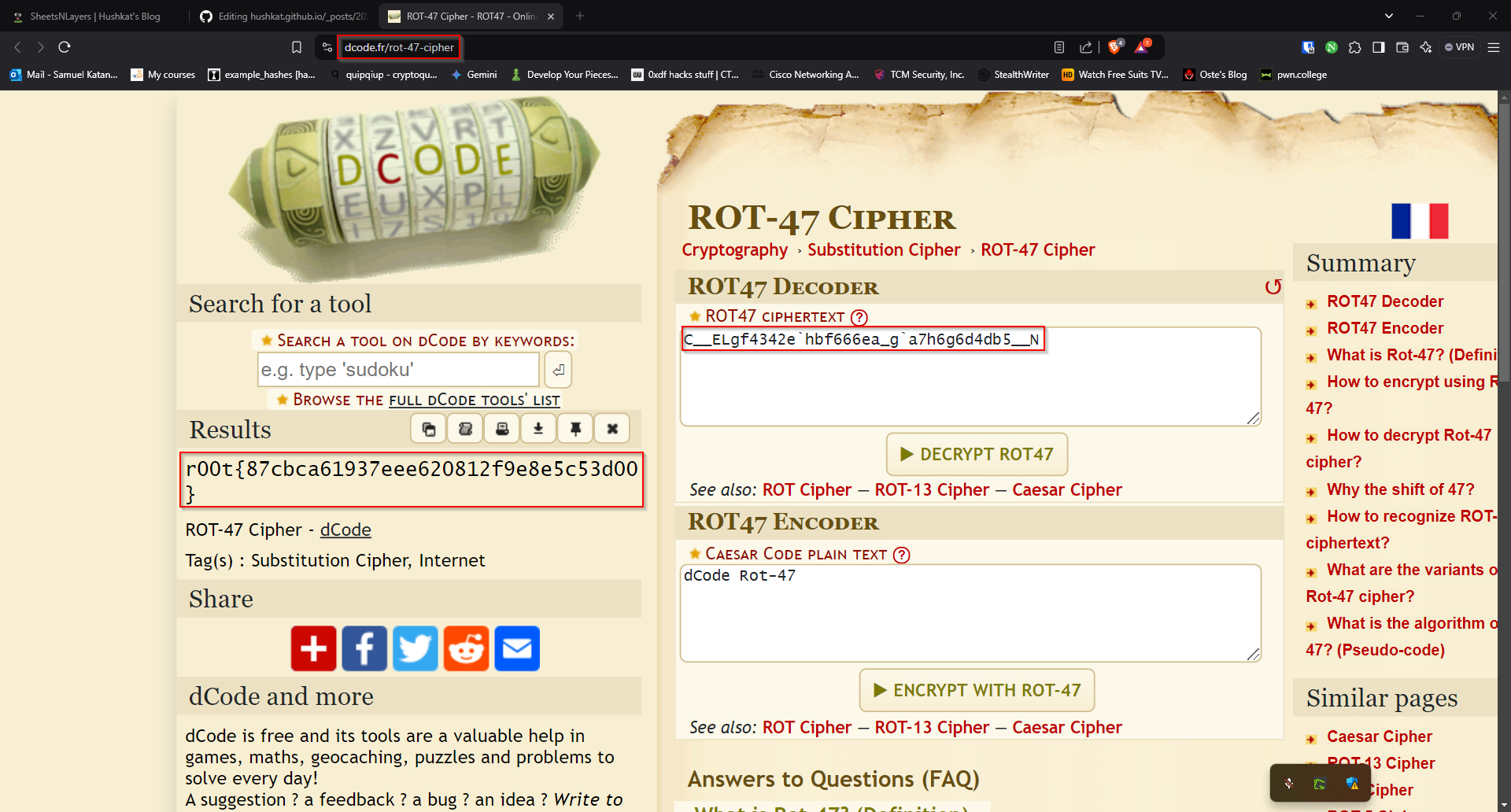
r00t{87cbca61937eee620812f9e8e5c53d00}